
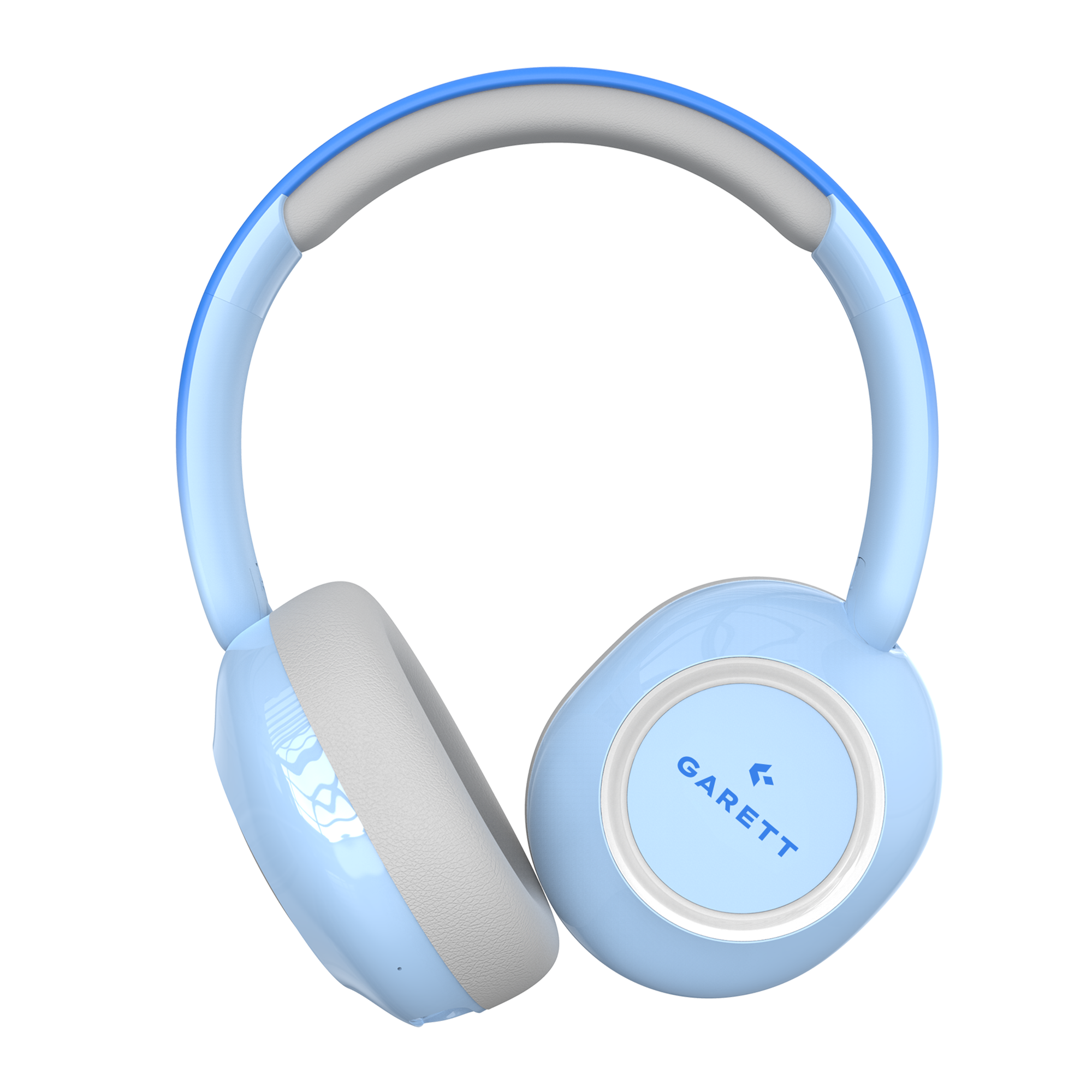
Garett Astro Wave ANC
Wireless Over-Ear Headphones

Quick Start Guide

1

Charge the headphones

Before using them for the first time, charge the device using the included charging cable. The first charge should take about 60 minutes.
Charging icon

2

Turn on the headphones

Press and hold the power button to turn on the headphones. Once turned on, the headphones enter standby mode and are ready to connect to a Bluetooth device.
Power icon

3

Pair the headphones with your device

Go to the Bluetooth settings on your phone, tablet, or computer, then select the headphones from the list of available devices. If the headphones have been paired before, they may automatically connect to the device you last used.
Bluetooth pairing icon

4

Choose how to use them

You can use the headphones wirelessly via Bluetooth or with a USB-C cable or a 3.5 mm audio jack.
Connection options icon

5

Read the full user manual

For complete information about the product, its features, setup, and safe use, read the full user manual.

User manual icon

All done! That’s it.

You can now listen to music, make phone calls, control playback, adjust the volume, use ANC mode and age-specific volume modes, and turn the headphones’ RGB backlighting on or off.

User manual

FAQ

How do I turn the headphones on and off?

Press and hold the power button for approximately 3 seconds. When the headphones are switched on, the LED indicator will start flashing. When they are switched off, the indicator will go out.

How do I pair the headphones with a phone?

Turn on the headphones, then open the Bluetooth settings on your phone. Select Garett Astro Wave ANC from the list of available devices. After the first pairing, the headphones may automatically connect to the most recently used device.

Which devices are compatible with the headphones?

The headphones are compatible with devices running Android, iOS, and Windows. They can be used with phones, tablets, laptops, and desktop computers. Connection to a Garett smartwatch is possible with models running Android and supporting Bluetooth audio.

What is the Bluetooth range?

The declared Bluetooth connection range is up to 10 metres. Walls, other wireless devices, and physical obstacles may reduce the actual range.

What operating modes do the headphones offer?

Three modes are available:

  • Bluetooth – wireless connection;
  • PC – wired connection via the 3.5 mm jack port;
  • Memory card – playback of audio files stored on a microSD card.

To switch between modes, press the power button twice.

How do the safe volume modes work?

The headphones limit the maximum sound level according to the selected mode:

  • Preschooler – below 75 dB ±3 dB;
  • Child – below 85 dB ±3 dB;
  • Teenager – up to approximately 94 dB ±3 dB.

To change the mode, press and hold the Play/Pause button for approximately 3 seconds.

Which volume mode is activated by default?

The Child mode is automatically activated each time the headphones are switched on.

What is the difference between ANC and Transparency mode?

ANC reduces the audibility of surrounding sounds. Transparency mode allows you to hear your surroundings more clearly while using the headphones. Transparency mode is active by default when the headphones are switched on. ANC can be enabled by briefly pressing the power button.

Can the headphones be used for phone calls?

Yes. The headphones support Bluetooth calls and include a detachable microphone. The multifunction button can be used to answer, end, and reject calls.

What type of memory card do the headphones support?

The device supports microSD cards with a maximum capacity of 32 GB.

How long does the battery last?

The battery has a capacity of 400 mAh and provides up to 28 hours of use. Actual battery life depends on factors including the volume level and the use of ANC, Bluetooth, and RGB lighting.

How long does charging take?

A full charge takes approximately 2 hours. During charging, the LED indicator lights up red and switches off once the battery is fully charged.

Are the headphones waterproof?

No. The headphones are not waterproof and must not be submerged in water or charged near water.

How do I reset the headphones?

Turn on the headphones and leave them in pairing mode. Then press the multifunction Play/Pause button five times.

The LED indicator should light up red for approximately one second, flash three times, and then switch off. This indicates that the reset has been completed. After resetting the headphones, remove the previous pairing from your phone or computer and pair the devices again.

Safety and Compliance

Warranty card

Contact

Service for Poland and other countries

(except the Czech Republic and Slovakia)

GARETT Sp. z o.o.
ul. Sandomierska 209
25-330 Kielce, Polska

✉️ [email protected]

Hotline in Polish and English

📞 +48 41 252 75 10
🕒We work from 08:00 to 16:00

Service for the Czech Republic and Slovakia

RMA s.r.o. Service Centre
K Ochozi 761
59301 Bystřice nad Pernštejnem

✉️ [email protected]

Hotline in Czech and Slovak

📞 +420 603 573 592
🕒 We work from 08:00 to 16:00

This website uses cookies to ensure you get the best experience on our website.