
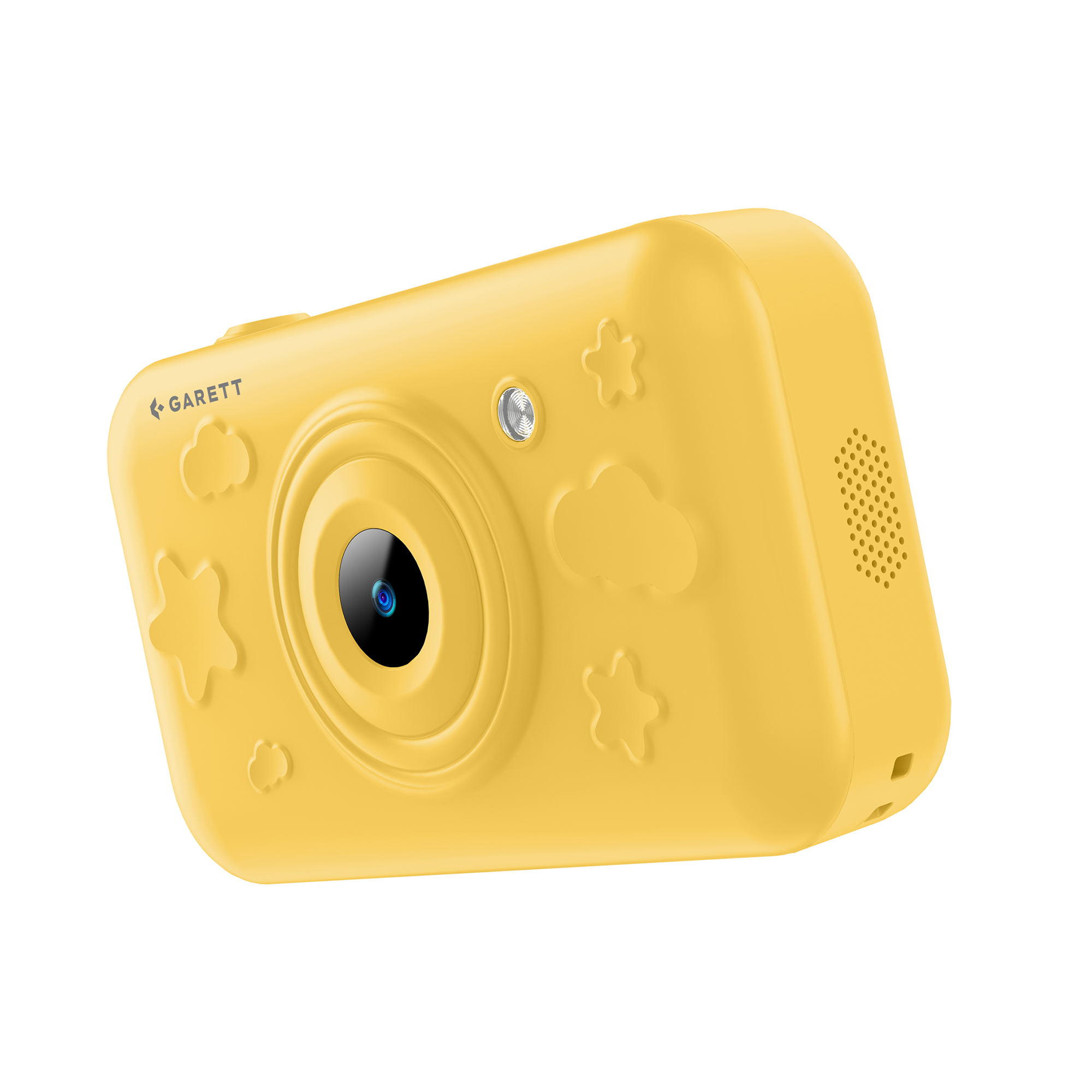
Garett Snap AI

Important information

  • To ensure the device works properly, check that the software version is 1.2.9.
  • If you have an older version, connect the camera to Wi-Fi or insert a SIM card with internet access and wait about 5 minutes for the automatic update.

Quick Start Guide

1

Charge the camera

Before using the device for the first time, charge it using the included USB-C charging cable. It is recommended that you charge the camera for about 60 minutes before turning it on for the first time.

Charging icon

2

Connect the camera to the internet

To use the AI features, connect the camera to a Wi-Fi network or ensure internet access using an active SIM card.

Internet connection icon

3

Check the device’s storage

The camera has built-in storage and a microSD card slot. A microSD card is not required to start using the device.
Storage icon

4

Turn on the camera

Turn on the device by pressing and holding the power button. When starting up for the first time, select the system language and make sure the camera has internet access if you want to use the AI features.

Turn on camera icon

5

Read the full user manual

For complete information about the product, its features, setup, and safe use, read the full user manual.

User manual icon

All done! That’s it.

You can now continue setting up the camera and use its features, such as taking photos, AI photo editing, chatting with various characters, object recognition, creating stories, and describing objects.

User manual

FAQ

Is a SIM card required to use the camera?

A SIM card can be replaced by a Wi-Fi connection. Internet access is mainly required when using AI features. Taking and viewing standard photos does not require a SIM card.

What type of SIM card does the camera support?

The device supports a nano-SIM card. The card must be active, have the PIN code disabled, support mobile data transmission, and operate on 2G, 3G, or 4G networks.

Can the SIM card have an active PIN code?

No. The PIN lock must be disabled beforehand by inserting the card into a phone or by contacting the mobile network operator.

Does the camera work without internet access?

Yes. Basic photography features and the gallery can work without internet access. However, an internet connection is required to use AI features such as object recognition, generating descriptions and stories, changing photo styles, and voice conversations.

What AI features does the camera offer?

The camera provides features including:

  • changing the photo style using seven themes;
  • recognising and describing objects;
  • presenting facts about photographed objects;
  • creating stories and narratives;
  • conducting voice conversations with virtual characters.
Are AI-generated answers and descriptions always accurate?

AI features are intended as assistance and may operate with limited accuracy. Generated answers and descriptions should be treated as informational and entertainment content.

How many photos can be stored in the camera’s memory?

The device has 16 GB of built-in memory, which, according to the specifications, can store approximately 5,000 photos. The available storage space may be lower due to system files and software. The camera’s memory can be expanded using a microSD memory card with a maximum capacity of 512 GB.

What type of memory card can be used?

The camera supports microSD cards with a maximum capacity of 512 GB. The card should be inserted while the device is switched off.

Can photos be transferred to an iPhone via Bluetooth?

No. Transferring photos via Bluetooth from an Android device to an iOS device is not supported due to Apple’s system restrictions.

Can the camera record videos?

No. The device specifications do not include a video recording function. The camera is intended for taking photos and using photography-related AI features.

Does the camera have GPS location tracking?

No. The Garett Snap AI model does not have GPS functionality.

How long does the battery last?

The battery has a capacity of 3,300 mAh. The declared operating time is up to 24 hours, with a standby time of up to four days. Actual battery life depends on the intensity of screen use, internet connectivity, Bluetooth, and AI features.

Is the camera waterproof?

No. The device must not be submerged in water or used while swimming. Do not charge the camera when it is wet or use the charger near water.

Safety and Compliance

Warranty card

Contact

Service for Poland and other countries

(except the Czech Republic and Slovakia)

GARETT Sp. z o.o.
ul. Sandomierska 209
25-330 Kielce, Polska

✉️ [email protected]

Hotline in Polish and English

📞 +48 41 252 75 10
🕒We work from 08:00 to 16:00

Service for the Czech Republic and Slovakia

RMA s.r.o. Service Centre
K Ochozi 761
59301 Bystřice nad Pernštejnem

✉️ [email protected]

Hotline in Czech and Slovak

📞 +420 603 573 592
🕒 We work from 08:00 to 16:00

This website uses cookies to ensure you get the best experience on our website.